Notion
Next.js 다크모드 에러
2025년 02월 12일 2년 전Next.js
Error
백견이불여일타(百見而不如一作)
DarkMode 적용기
기존 다크모드는 신경쓰지 않고 작업
→ 더 많이 작업하기 전 다크모드 적용 결정
에러문구
Hydration failed because the server rendered HTML didn't match the client. As a result this tree will be regenerated on the client. This can happen if a SSR-ed Client Component used
친절하다…
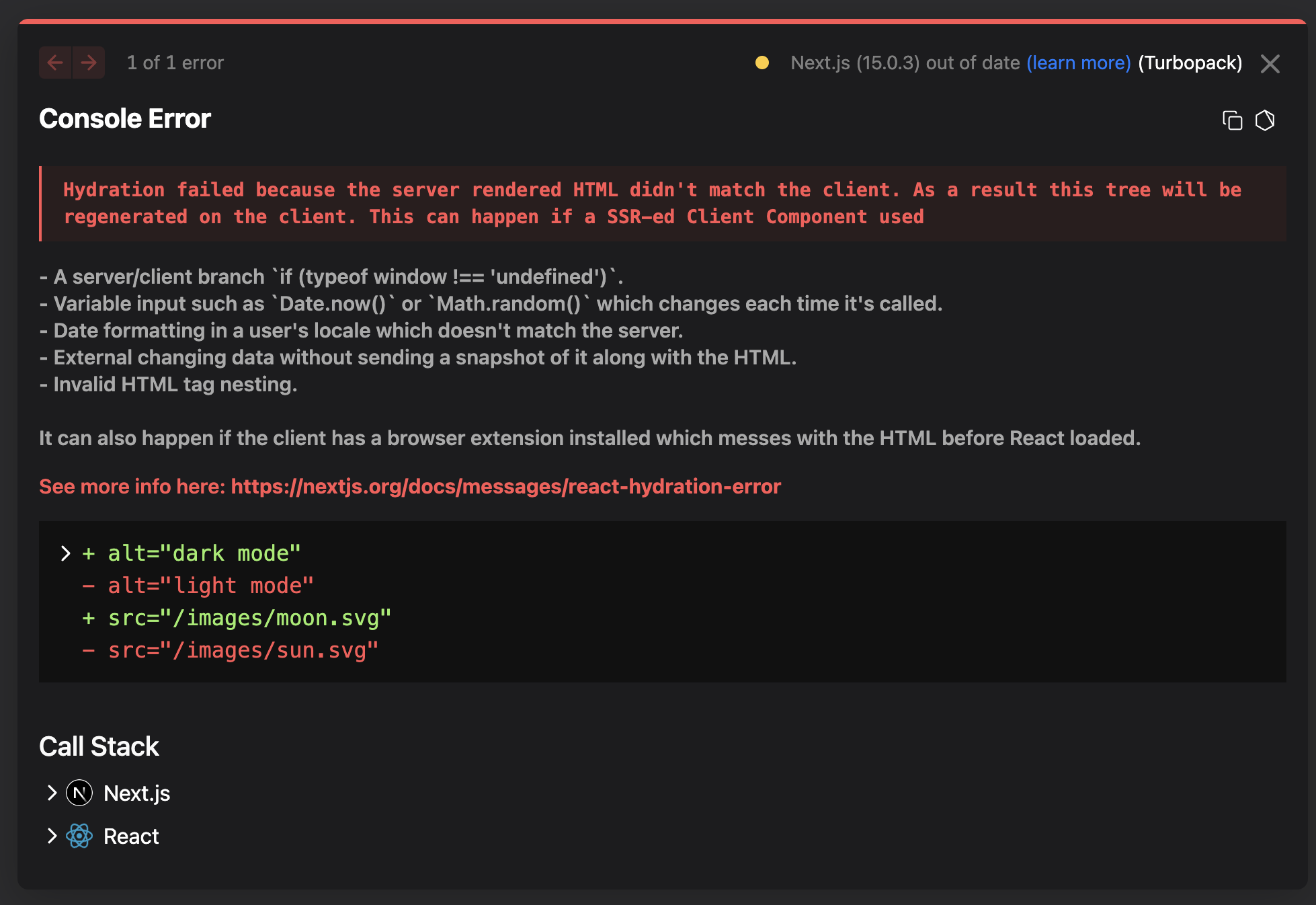
Hydration failed because the server rendered HTML didn't match the client. As a result this tree will be regenerated on the client. This can happen if a SSR-ed Client Component used
서버에서 렌더링한 HTML이 클라이언트와 일치하지 않아 하이드레이션에 실패했습니다. 결과적으로 이 트리는 클라이언트에서 다시 생성됩니다. SSR이 적용된 클라이언트 구성 요소를 사용하는 경우 이런 일이 발생할 수 있습니다. 라는 내용입니다.

다크모드를 사용하기위해서 window객체를 사용하는데 해당 방법이 잘못되었다…
해결방법
import dynamic from 'next/dynamic'

const NotSSRComponents = dynamic<{props:type;}>( // typescript에서 props를 전달할때 interface를 정의해줍니다.
  () => import('./components/Component'), // Component로 사용할 항목을 import합니다.
  {
  ssr: false, // ssr옵션을 false로 설정해줍니다.
  loading: () => (
    <div>
      <span>loading</span>
    </div>
  )} //loading 문구를 테스트로 넣었다 원히자않는다면 필수는 아니기에 제거해도 에러없음.
);

const App = () => {
  return(
    <div>
    	<NotSSRComponents/> // 해당 컴포넌트는 ssr:false이기 때문에 서버사이드 렌더를 하지않습니다.
    </div>
  )
};
위 이슈는 다크모드 이외에 다른곳에서 많이 적용할수있다.